WorkOS Docs Homepage
Pipes
API referenceDashboardSign In
Getting StartedOverviewOverviewCustom providersCustom providersOrganization-scoped providersOrganization-scoped providersProvidersProviders
API Reference
API Reference
Events
Events
Integrations
Integrations
Migrate to WorkOS
Migrate to WorkOS
SDKs
SDKs

Organization-scoped providers

Per-organization customization for a Pipe provider's scopes, credentials, and enablement.

On this page

  • Overview
  • Configure organization credentials
  • Configure provider settings
    • Management widget
    • API
  • View organization-scoped providers in the dashboard

Overview

A provider is generally configured once and made available with the same scopes and credentials for everyone. But some organizations have specific requirements. Organization-scoped providers let one organization override any of three things:

  • whether the provider is enabled
  • the scopes it requests
  • the OAuth credentials it uses

This lets an organization’s IT admin match their own security requirements – say, allowing only a subset of scopes, or requiring connections through the organization’s own OAuth application.

Configure organization credentials

Most providers use an OAuth application you set up and control. Other providers require each organization to use its own credentials, so the customer authenticates against its own account. For these, set the provider to use organization credentials; each organization must then provide its own client ID and secret to enable the provider for its users.
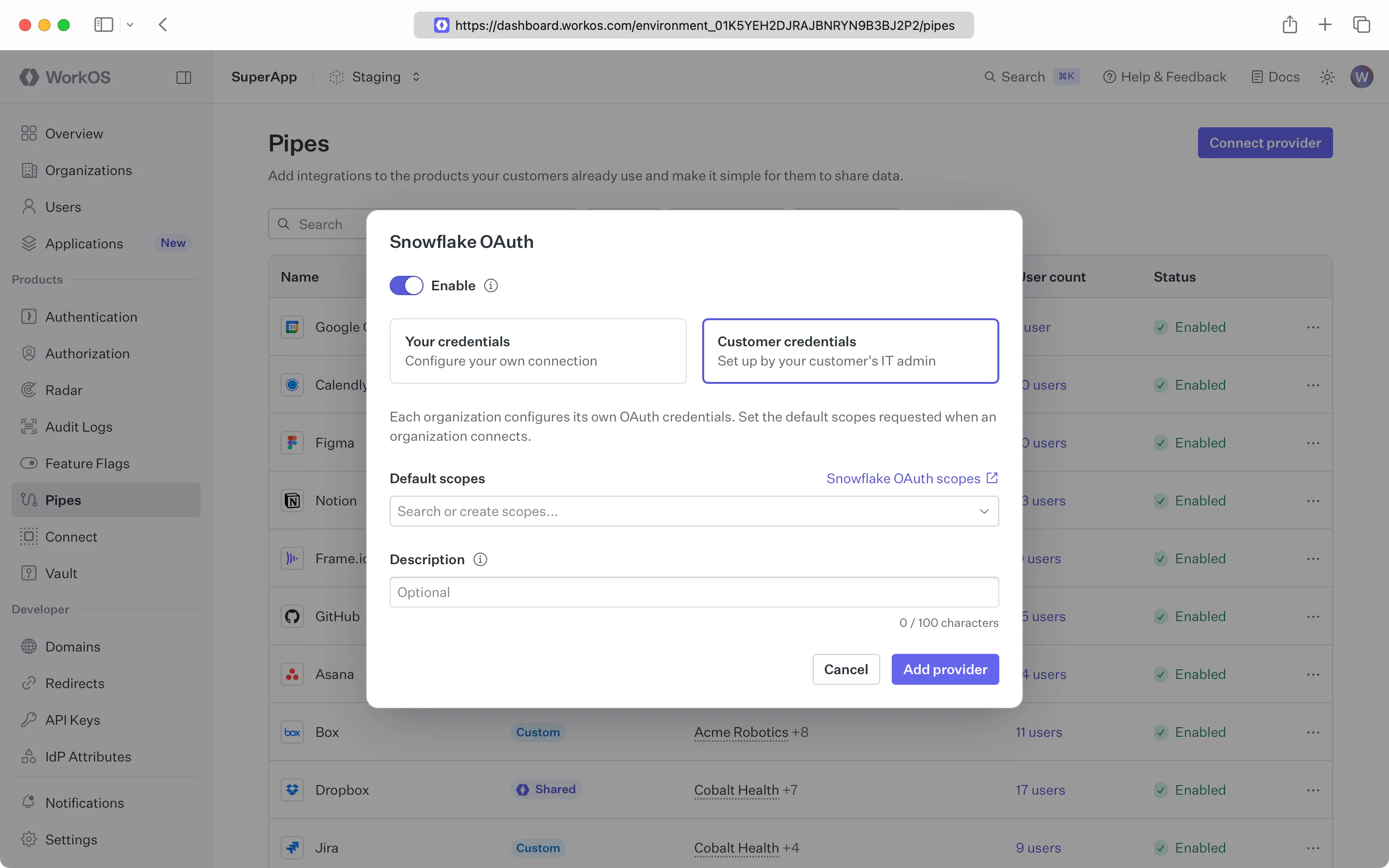
Until an organization configures its credentials, that organization’s users can’t connect.
A provider's OAuth dialog in the WorkOS Dashboard with Customer credentials selected, showing default scopes and a description field, where each organization supplies its own OAuth credentials.

Configure provider settings

An organization’s IT admin configures these settings through one of two surfaces you provide: the drop-in Pipes Admin widget, or the management API if you want to build your own UI.

Management widget

The Pipes Admin widget lets an admin tailor providers to their organization’s needs. Admins need the widgets:pipes:manage permission.

API

To build your own UI instead, configure overrides through the API. Create or update one with a single request:

import { WorkOS } from '@workos-inc/node';
const workos = new WorkOS('sk_example_123456789');
const configuration = await workos.pipes.configureOrganizationProvider({
organizationId: 'org_01EHZNVPK3SFK441A1RGBFSHRT',
provider: 'github',
enabled: true,
scopes: ['repo', 'user:email'],
clientId: 'Iv1.a1b2c3d4e5f6g7h8',
clientSecret: 'example_client_secret_value',
});

See the provider API reference for every field and response.

View organization-scoped providers in the dashboard

The WorkOS Dashboard shows which organizations use each provider, and who has disabled one or overridden its scopes.

Open a provider’s Organizations tab to see every organization that overrides it, and its status.
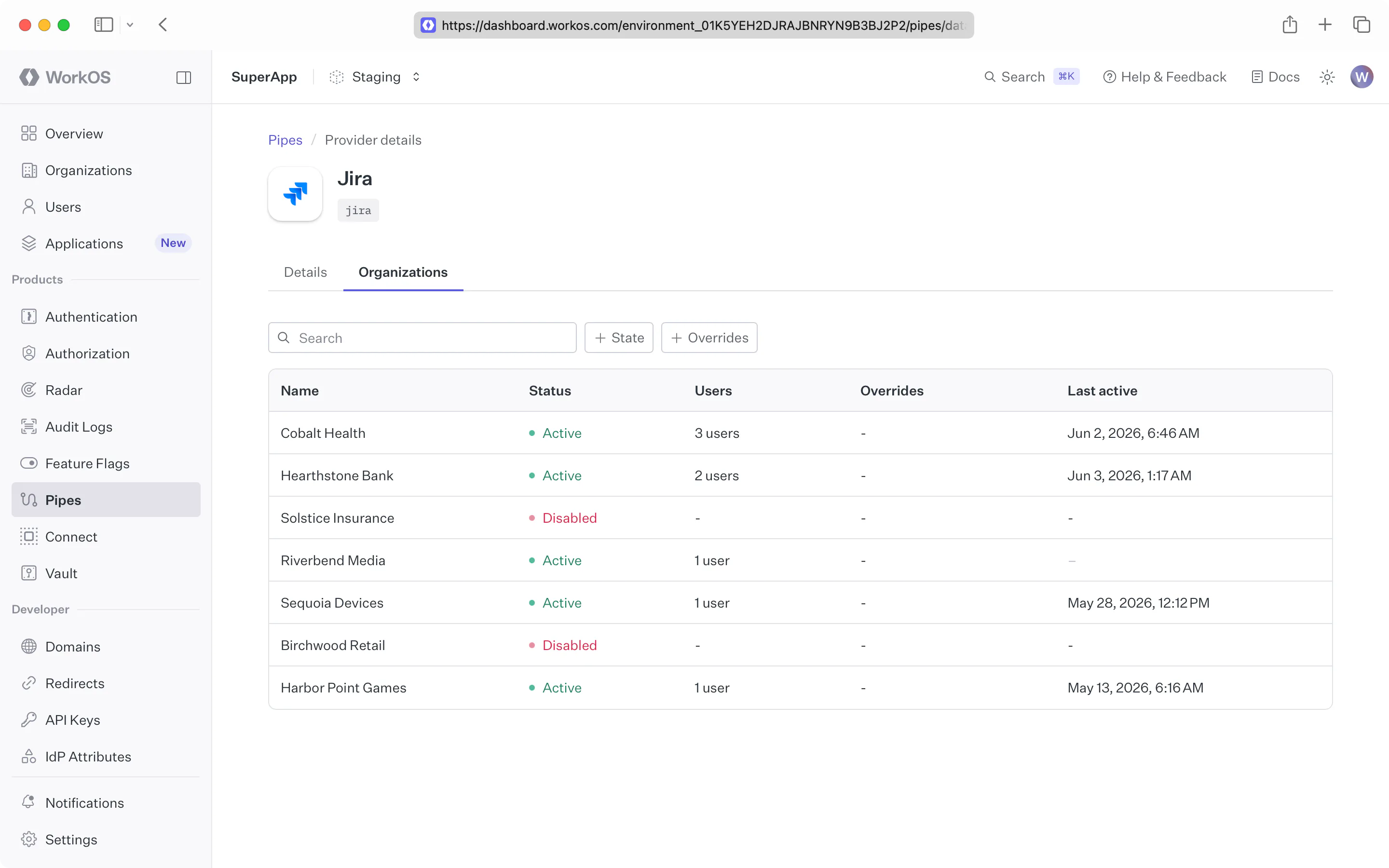
The Organizations tab on a provider's detail page in the WorkOS Dashboard, listing each organization with its status — some enabled, some disabled — plus any scope overrides and last active time.

Open an organization’s Pipes tab to see the providers and overrides configured for it.
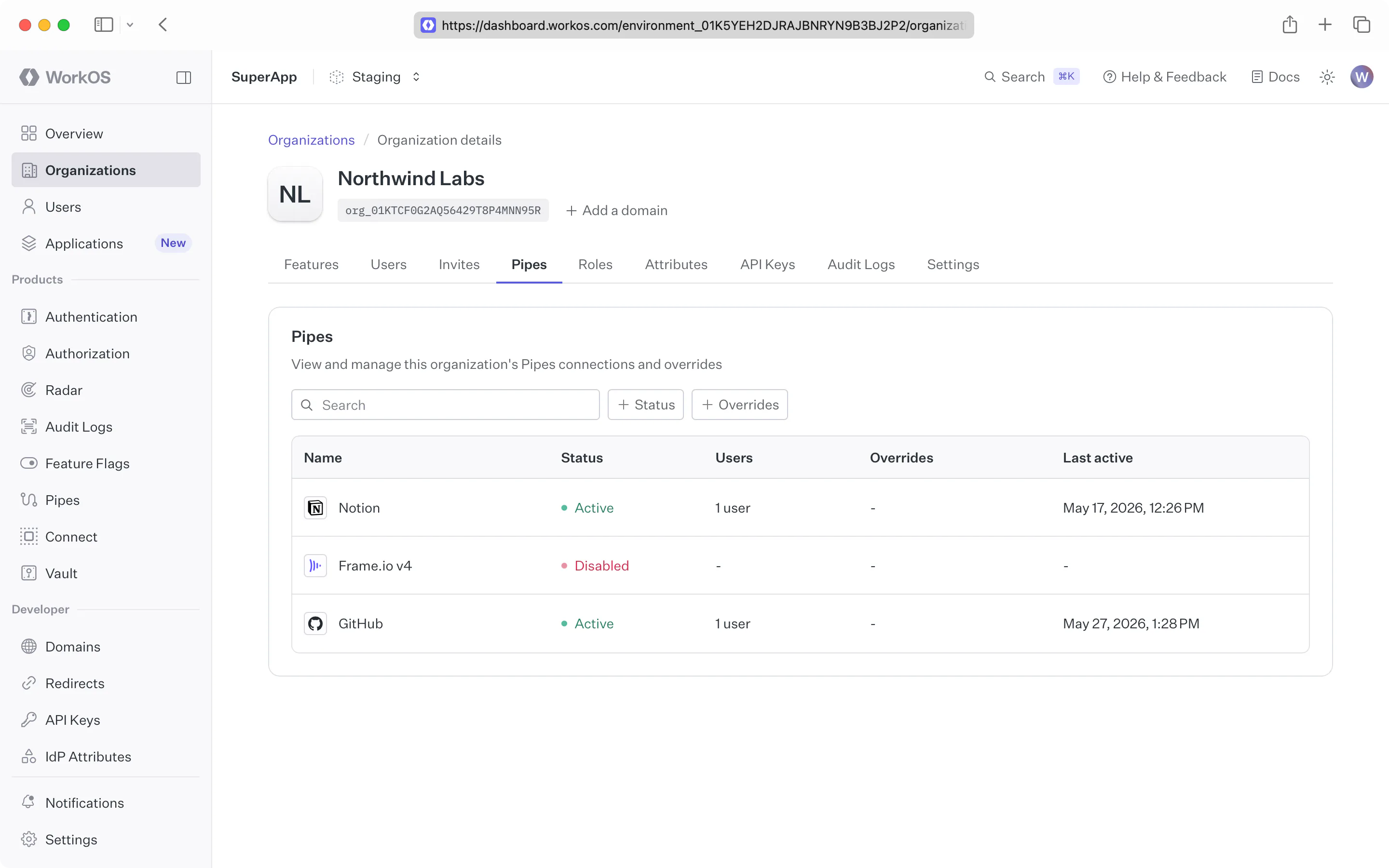
An organization's Pipes tab in the WorkOS Dashboard, listing the providers available to that organization with each one's status — some enabled, one disabled — and any overrides.
© WorkOS, Inc.
FeaturesAuthKitSingle Sign-OnDirectory SyncAdmin PortalFine-Grained Authorization
DevelopersDocumentationChangelogAPI Status
ResourcesBlogPodcastPricingSecuritySupport
CompanyAboutCustomersCareersLegalPrivacy
© WorkOS, Inc.